Work From Anywhere
Use your business number from the office, home, job site or road without forwarding calls to a personal line.
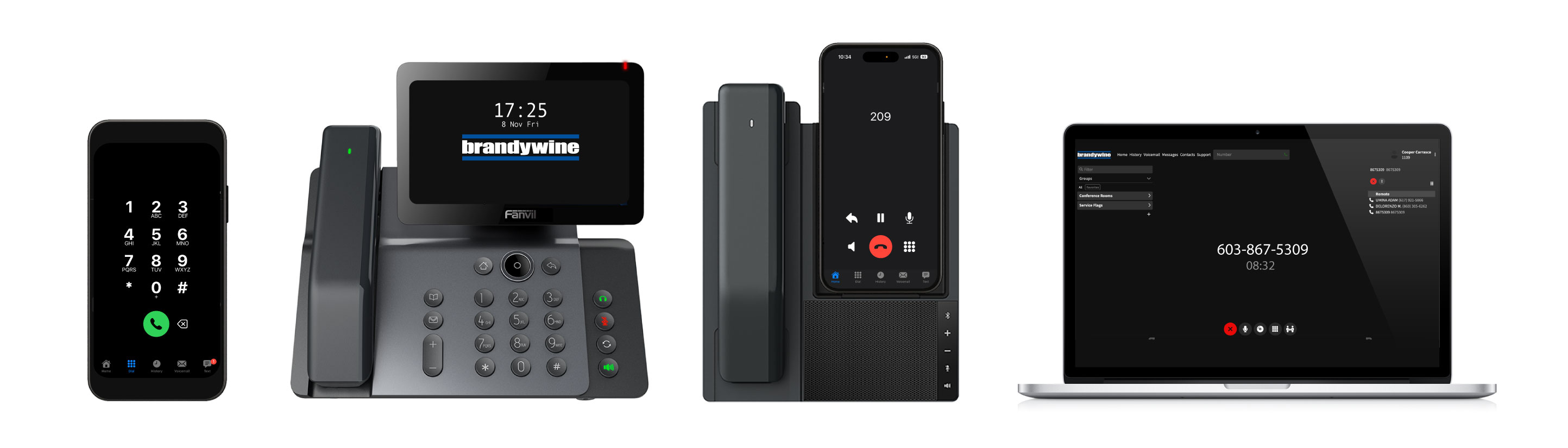
Calls, texts, voicemail, routing and reporting work across desk phones, mobile phones and web apps. Brandywine handles setup and support from start to finish, so your team gets a business phone system that feels current without becoming complicated.
Use your business number from the office, home, job site or road without forwarding calls to a personal line.
Make and receive business calls on iPhone or Android while keeping your company number, caller ID and call history separate.
Send and receive texts from your business number on a phone or computer, so customer conversations stay with the company.
Read voicemail messages in your inbox or app, then call back with context instead of replaying every message.
Route callers by department, location, after-hours rules or extension so they reach the right person faster.
Record important calls for training, quality control, dispute review and customer-service accountability.
Keep callers organized for sales, support or dispatch teams with queue routing, overflow handling and missed-call visibility.
Move calls between desk phones, mobile users and departments without asking customers to hang up and redial.
Call, text, check voicemail and manage day-to-day communication from a browser when you are working from a computer.
Get help applying AI to real workflows like calls, texts, voicemails, follow-up, scheduling and documentation.
Review call volume, missed calls, durations and user activity so managers can spot issues before customers do.
Use professional hold music or recorded messages so callers are not left sitting in silence.
Welcome callers with polished greetings for business hours, after-hours routing, holidays and special announcements.
Route urgent calls to the right on-call person after hours for service businesses, medical offices and emergency support teams.
Send and receive faxes by email when a vendor, agency or legacy workflow still requires faxing.
Manage secure building entry for employees, deliveries, guests and contractors from the same team that supports your phones.
Add your company logo to supported phone screens for a more finished, professional deployment.
Big AI companies build broad tools for broad audiences. Brandywine helps small businesses apply AI to the real work already happening every day: calls, texts, voicemails, customer follow-up, scheduling, documentation and internal processes.
If you are already using AI and it is not producing the results you expected, we can help clean up the workflow, connect the right systems and make the implementation easier for your team to trust and use.
We help separate useful automation from distractions, then focus on the places AI can save time or improve customer response.
Already trying AI tools? We can review what is not working, simplify the process and help your team get better results.
Use AI alongside phones, messaging, documents and customer workflows instead of leaving it as one more disconnected app.
Phones, apps, users and routing stay manageable as your team changes.
New phones arrive configured and come online when they are plugged in.
Add users, update extensions and adjust routing as roles change.
Support for encrypted voice traffic and controlled account access.
One phone system supports desk phones, mobile apps and browser-based calling.
Get help from the same team that configured and supports the account.
From phones to custom software. We'll add your logo to your phone's home screen, record custom greetings that route callers to the right person, and set up text messaging on your business line across every device your team uses. When AI belongs in that workflow, we help make it practical, understandable and useful for the people doing the work.
Email us for a quote or a live demo. We're a real team in Salem, New Hampshire, available Monday–Friday, 9AM–5PM EST.